A brief primer on Macondo
Macondo is a free, open-source crossword board game analysis program that has been in active development for several years. If you’ve used Quackle before, Macondo is a spiritual successor - but with a faster simulation engine, an exhaustive endgame and 1-in-the-bag preendgame solver, and tight integration with Woogles and cross-tables.
The main thing to know upfront: Macondo is a command-line program. There’s no point-and-click interface - you type commands into a terminal prompt. This means it takes a little time to get comfortable with, but once you do, it’s an extremely powerful tool. The full list of commands is available by typing help at the Macondo prompt, and you can get more detail on any specific command with help <command>.
To install Macondo, head to the releases page and download the latest version for your operating system. Mac users may need to allow the executable through Security & Privacy settings on first launch.
By default, Macondo uses the NWL23 word list. If you play Collins, type set lexicon CSW24 once you’re inside the program.
With that, let’s get into the analyzer.
Macondo and Woogles now provide a way to do full game analysis in one step! For this article we will first discuss how this is done in Macondo. First, we need to add our game:
-
For a game on Woogles, use the command
load woogles (game id), where game id is the string of numbers and characters in the game URL. -
For an annotated game on cross-tables, use the command
load xt (game id), where game id is the number in the URL for the GCG file. -
For an in-person game, or game not already stored elsewhere, you will need to insert each rack and move manually.
Now that our game is loaded, we can simply type analyze to run the analysis. If we only want to do analysis for our own plays, we can do analyze -player 0 (if we went first) or analyze -player 1 (if we went second). The analysis will perform a five-ply simulation for each turn.
As an example, let’s look at the thrilling game 3 of the 2025 WESPAC final between the best player of all time, Nigel Richards, and one of the top players in the world in his own right, Adam Logan (note: this uses the CSW24 word list so make sure that is loaded; set lexicon CSW24). Since this game is already on cross-tables
, most of the work is done for us. We just need to note the game ID (57256), and in this case we wish to analyze the moves of both players since we know the complete racks for each.
load xt 57256
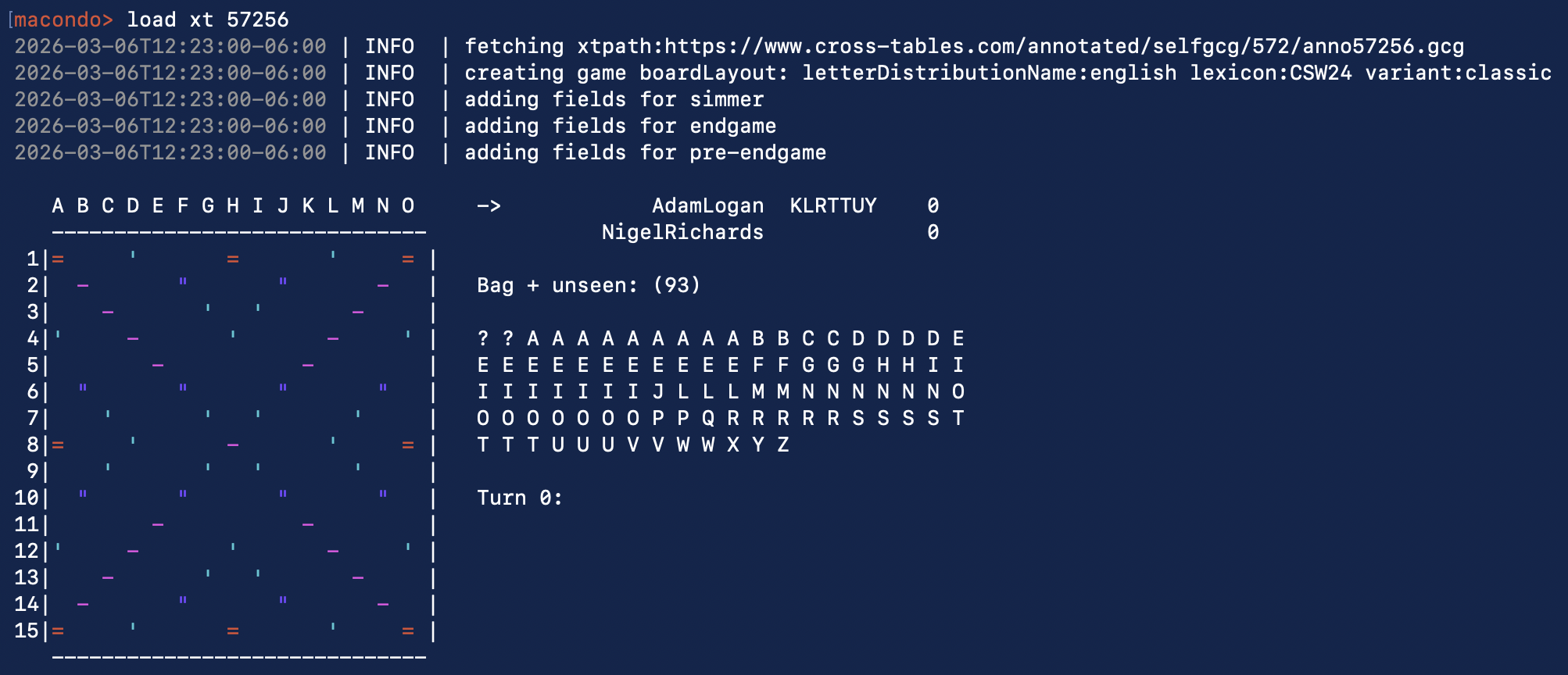
Then we simply type analyze to examine both players’ moves. At this point all you have to do is wait! In my experience so far, most games take less than five minutes to analyze both players’ moves, though this depends a bit on your computing power of course. For this game, it took about 2.5 minutes.
The first part of the output is an evaluation of each move:
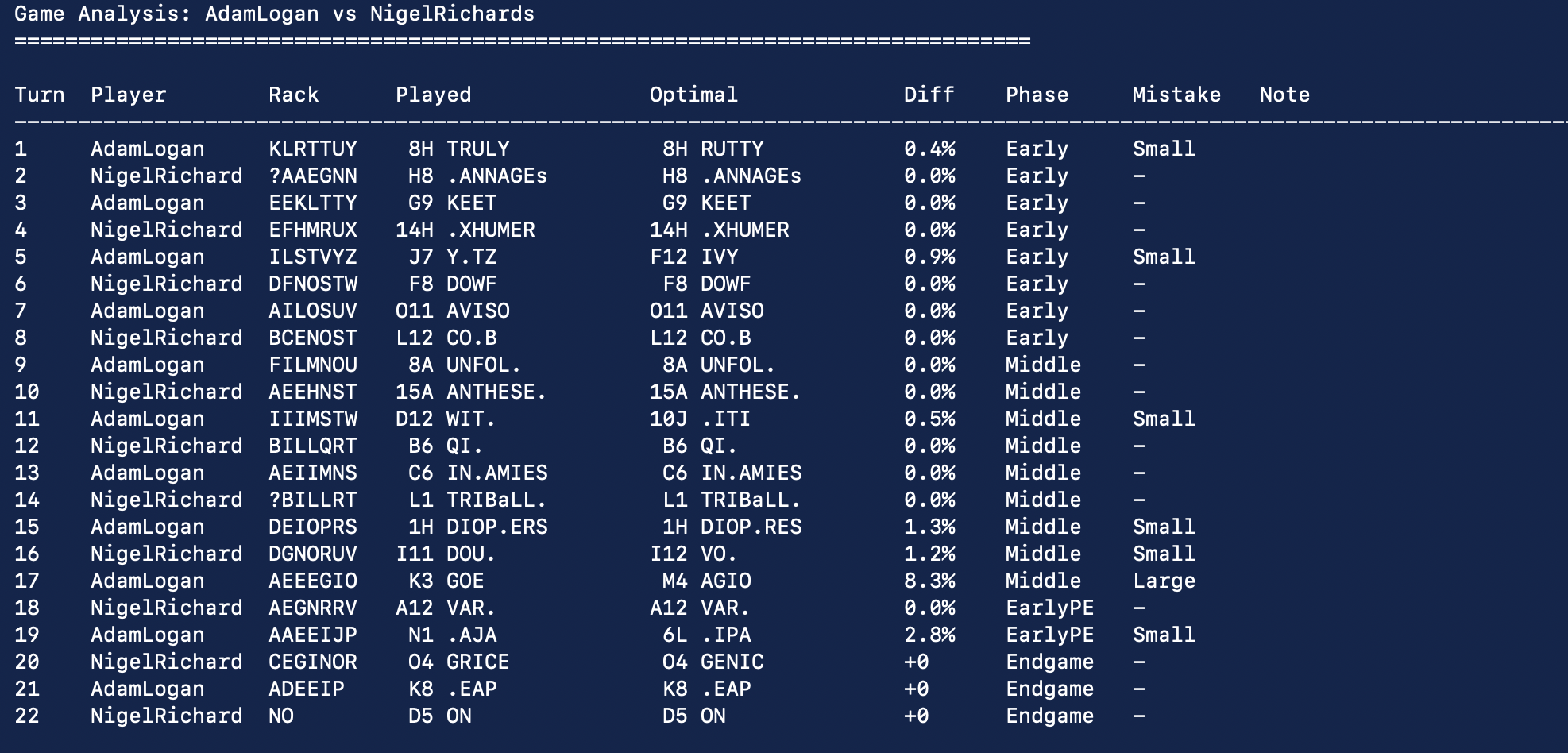
A difference of 0.0% means that was considered the optimal play by BestBot. In other words, BestBot is the “gold standard” by which all moves are judged. The mistakes are divided into categories: small, medium, and large (an optimal play will display a dash). We then see the overall evaluation of each player:

- Optimal – the number of moves you made that agreed with BestBot’s top simulated move
- Avg Win% Loss – the average win percentage loss vs. the top play over all turns
- Avg Spd Loss – how many spread points you lost vs. ideal play in the endgame
- Mistake Index – a composite score of your errors. See https://nbaniac.com/odds-overview for methodology.
- Estimated ELO – a rating correlated to the mistake index; the best ELO (i.e. how BestBot plays) is 2300
Also note that it’s possible to analyze multiple games at once:
analyze-batch woog:ABC123 woog:DEF456
analyze-batch xt:12345 xt:67890
analyze-batch /path/to/game1.gcg /path/to/game2.gcg
analyze-batch -player "nickname" woog:ABC woog:DEF
One last thing to note — the analyzer as of this writing currently does not support inference. For example, if you infer your opponent has an S because they played off an S for a very low number of additional points, that information isn’t used. With turns like that, you may wish to analyze that play separately. Please type help infer in Macondo for more information.
The analyzer is a wonderful tool and it’s made me, after playing for 18 years, finally actually interested and excited to analyze my games. I hope it does the same for you!